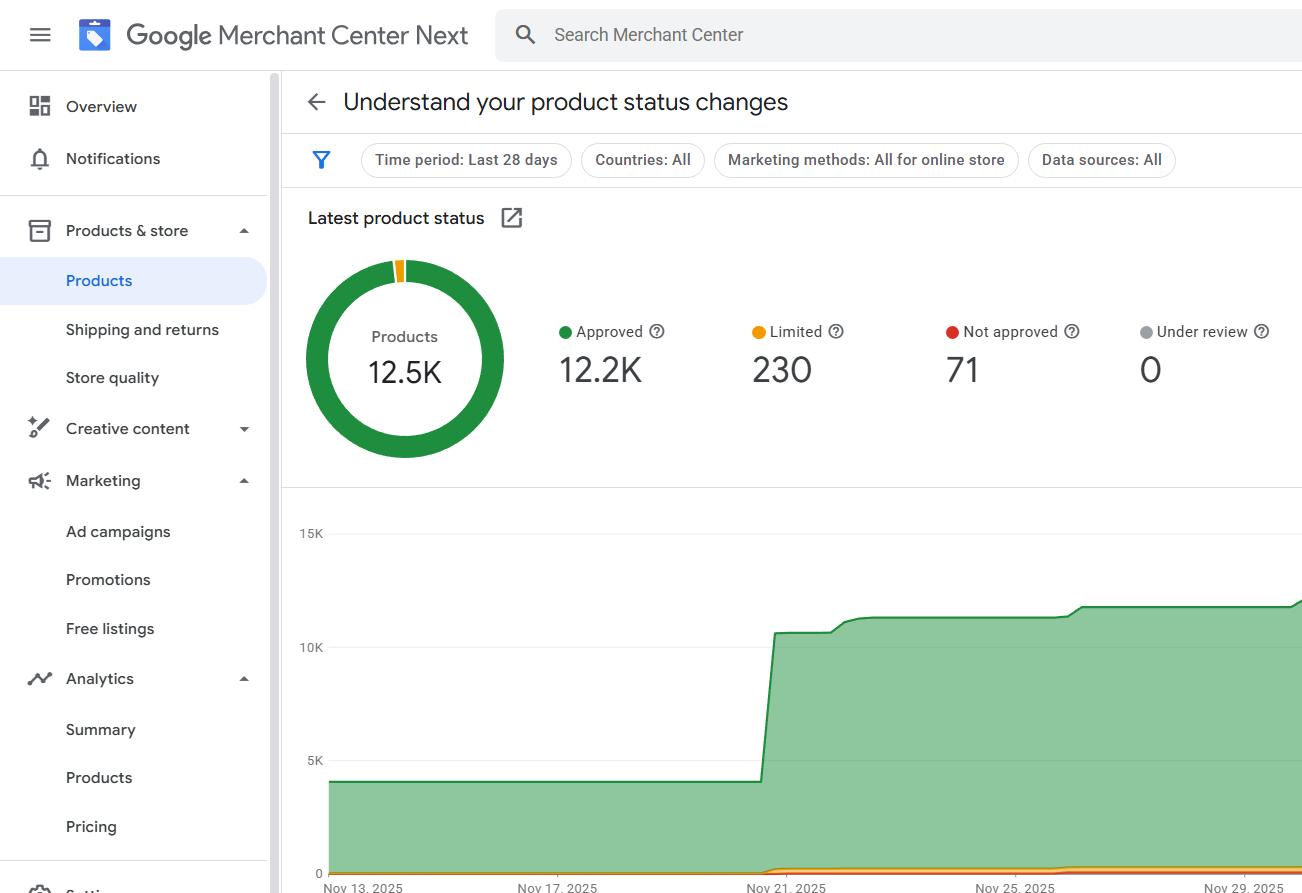
Many businesses notice a sudden drop in impressions, clicks, or spend in Google Shopping and assume their account is suspended. In reality, a large number of these cases involve a limited Google Merchant Center account, not a full suspension.
Understanding the difference between a limited account and a suspended account is critical, because the wrong response can make the situation worse.
This article explains how both states work, how to identify them correctly, and what businesses should and should not do in each case.
What Is a Google Merchant Center Account Suspension?
A suspension in Google Merchant Center is a hard enforcement action. When an account is suspended:
- Shopping Ads stop completely
- Products are disapproved at account level
- Merchant Center access is restricted
- A suspension notice usually appears in Diagnostics or via email
Suspensions are triggered when Google determines there is a policy violation or serious trust issue that requires correction before advertising can resume.
Common Suspension Types
- Misrepresentation
- Policy violations
- Untrustworthy promotions
- Website or business legitimacy issues
- Repeated or escalated violations
A suspended account requires formal remediation and appeal.
What Is a Merchant Center Account Limitation?
An account limitation is a soft enforcement state. The account remains technically active, but performance is restricted.
In limited accounts:
- Products may still show as “Approved”
- No suspension email is sent
- Ads may run sporadically or not at all
- Impressions drop sharply
- Performance Max and Shopping delivery is reduced
This is one of the most misunderstood Merchant Center states in 2026.
Key Differences Between Limited and Suspended Accounts
Visibility
- Suspended: Zero Shopping visibility
- Limited: Partial or inconsistent visibility
Notifications
- Suspended: Clear warning or suspension message
- Limited: Often no explicit alert
Diagnostics
- Suspended: Account-level issue visible
- Limited: Diagnostics may appear clean
Recovery Method
- Suspended: Requires appeal
- Limited: Requires trust and signal correction
Risk Level
- Suspended: Immediate enforcement
- Limited: Early-stage or preventative enforcement
Misinterpreting a limitation as a suspension often leads to unnecessary appeals or risky changes.
Why Google Uses Account Limitations in 2026
Google increasingly relies on risk scoring and behavioral analysis instead of instant suspensions.
Account limitations are used when:
- Google detects early trust concerns
- Signals are inconsistent but not severe
- The account shows risky patterns
- Automated systems require observation
This allows Google to protect users without issuing full suspensions.
Common Causes of Merchant Center Account Limitations
Trust Signal Weakness
- Incomplete business information
- Low website transparency
- Generic or duplicated policy content
Behavioral Patterns
- Rapid account or feed changes
- Frequent edits across settings
- Aggressive scaling after approval
Historical Risk
- Previous suspensions or warnings
- Linked entities with past enforcement
- Domain or account reuse patterns
Data Quality Issues
- Repeated feed inconsistencies
- Price and availability volatility
- Low-quality product attributes
These factors may not violate policy directly but still reduce delivery.
Why Products Show as “Approved” but Don’t Perform
This is the most confusing situation for merchants.
Approval means:
- Product data meets basic requirements
It does not guarantee:
- Auction eligibility
- Full distribution
- Stable impressions
Limited accounts often pass surface checks but fail entity-level trust evaluation.
Why Appealing a Limited Account Is a Mistake
Appeals are designed for policy enforcement, not performance limitations.
Submitting appeals on limited accounts can:
- Trigger deeper manual review
- Escalate soft enforcement into suspension
- Reset trust evaluation negatively
Many full suspensions start after unnecessary appeals on limited accounts.
How to Identify Whether an Account Is Limited or Suspended
Signs of Suspension
- Explicit suspension message
- Account-level disapproval
- Email from Google
- Shopping Ads completely stopped
Signs of Limitation
- Sudden impression drop
- Approved products with no spend
- PMax campaigns not scaling
- No clear error messages
Correct diagnosis determines the correct response.
What to Do If an Account Is Limited (Not Suspended)
Recommended Actions
- Stabilize account changes
- Review business trust signals
- Improve transparency and consistency
- Monitor performance patterns
- Avoid aggressive edits
Actions to Avoid
- Submitting appeals
- Creating new accounts
- Re-uploading feeds repeatedly
- Making multiple major changes quickly
Account limitations often resolve once signals stabilize.
What to Do If an Account Is Suspended
Suspended accounts require:
- Clear identification of violation
- Structural fixes, not cosmetic edits
- Consistent updates across all platforms
- A single, well-prepared appeal
Rushing this process increases rejection risk.
Can a Limited Account Turn Into a Suspension?
Yes.
Common escalation triggers include:
- Repeated unnecessary changes
- Appeals without violations
- Conflicting business updates
- Attempts to bypass limitations
This is why restraint is critical.
Frequently Asked Questions
Is an account limitation permanent?
No. Many limitations are temporary if trust improves.
Can ads run on a limited account?
Sometimes, but delivery is inconsistent.
Does Google notify about limitations?
Usually not. This is intentional.
Can performance recover without appeals?
Yes, in many cases.
Final Thoughts
Merchant Center limitations and suspensions serve different purposes and require very different responses.
- Suspensions require correction and appeal
- Limitations require stability and trust rebuilding
Treating both the same way often turns manageable issues into serious enforcement problems.
Understanding this difference is essential for businesses that rely on Google Shopping and want long-term account health in 2026 and beyond.