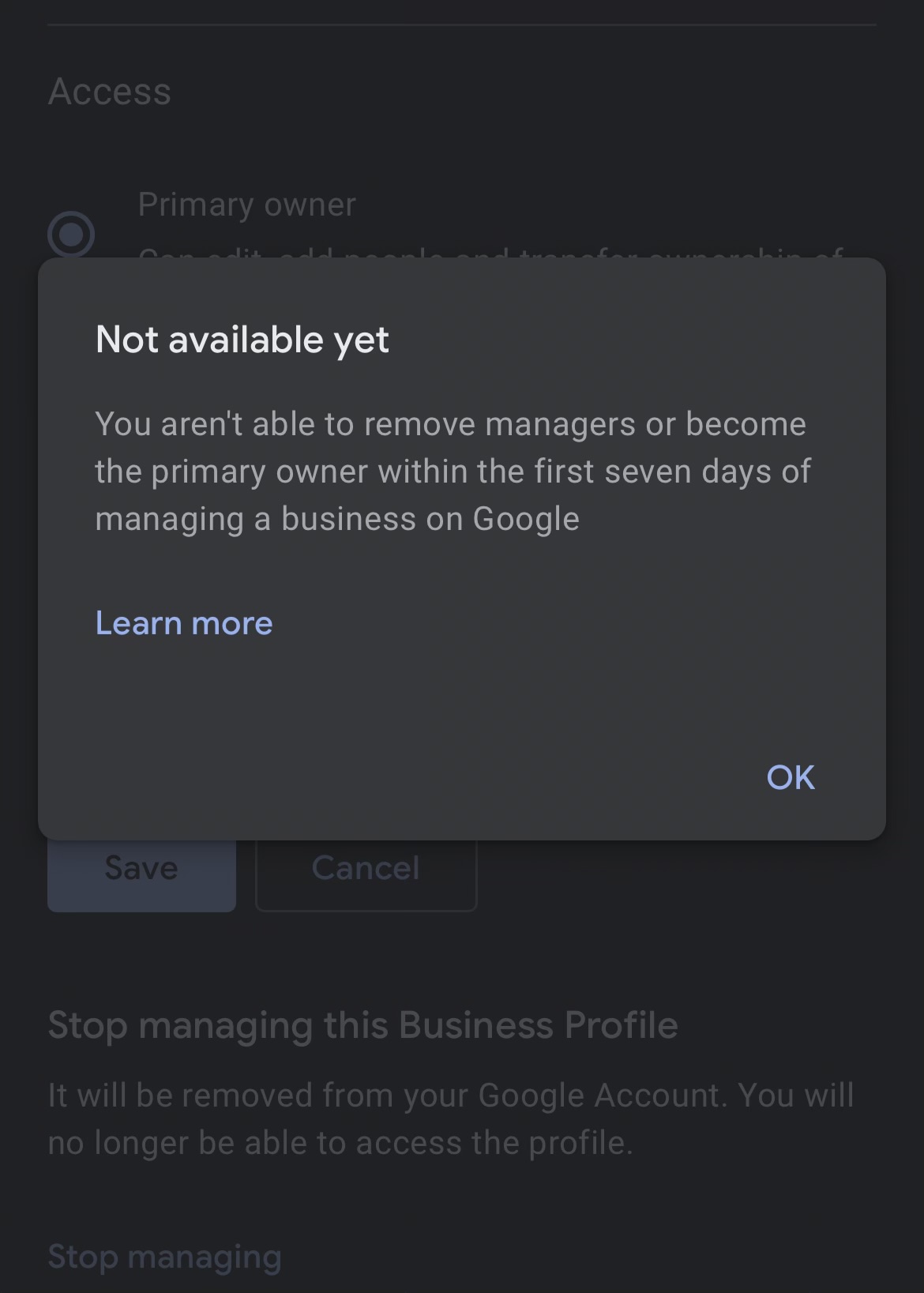
My firsthand experience & the latest Google update on ownership transfers
Managing a Google Business Profile (formerly Google My Business) is one of the most impactful decisions you’ll make as a business owner. It affects your online visibility, reviews, map presence, and customer trust. But one of the most confusing parts I’ve seen many local business owners struggle with is transferring the primary owner role — especially when the request comes after the first 7 days of verification.
Here’s the thing: I’ve helped dozens of businesses transfer ownership successfully, and through that experience, I’ve learned exactly what works, what doesn’t, and what Google changed recently that you need to know before you start.
📍 What Does “Primary Owner” Really Mean?
In Google’s hierarchy of users for a business profile, there are three main roles:
- Primary Owner – This is the main administrator with full control
- Owner – Has almost full rights
- Manager – Limited access (posts, insights, messaging)
From personal experience advising business owners: giving someone primary ownership means trusting them with your business’s digital identity. That’s why Google protects this process pretty tightly.
✨ The Key Update (2025) — Google Changed the 7-Day Rule
For a long time, Google had a rule:
“Once someone is added as an owner, you cannot transfer primary ownership for 7 days.”
This caused confusion, especially in agencies onboarding clients or handing off profiles from employees. But recently, Google updated its policy.
✅ New Update (2025)
Google now allows primary ownership change even after 7 days, but with conditions. This is a big improvement for businesses that were stuck waiting — and I’ll explain exactly how it works.
🛠 Step-by-Step: How to Transfer Primary Ownership After 7 Days
Here’s the process that I’ve successfully used for clients — easy and compliant with Google’s policies:
✅ 1. Sign In to Google Business Profile
Go to
👉 https://business.google.com
Sign in using the account that currently has primary owner access.
✅ 2. Go to “Users”
From the left navigation menu:
Users → Select the Profile → Click “Users” Icon
This will open the list of all people with access.
✅ 3. Add a New Owner (If Not Already Added)
If the person you want to transfer ownership to isn’t already on the list:
- Click “Invite New User”
- Enter their email
- Select Owner
- Click Invite
They will receive an email invitation.
If they are already listed as Owner, move to the next step.
✅ 4. Transfer Primary Ownership
Once the new owner has accepted the invitation, you can:
- Go back to “Users”
- Click the dropdown next to the new owner
- Select “Primary Owner”
- Confirm
Google may show a message about the 7-day window — but here’s the key:
📌 If they were added more than 7 days ago, the transfer will go through automatically.
📌 If it’s within the 7-day period, Google may prompt for verification (Email or Extra Confirmation).
⚠️ What If Google Blocks the Transfer?
In rare cases, especially after major profile changes or re-verifications, Google may not allow the transfer online. In those situations, here’s what I’ve done successfully:
✔ Request Support from Google Business Profile Team
- Go to “Support” inside your profile
- Choose “Ownership/Access Issue”
- Provide:
- Business name
- Current owner email
- New owner email
- Reason for transfer
- Screenshot of users list
Google Support typically responds within 24-72 hours with a resolution.
🧠 Real-World Tips From Experience
Here are the things I always tell clients:
✅ Don’t Remove Yourself too Early
If you remove your own access before the other person accepts ownership, you may lose control of the profile.
✅ Use Corporate (Not Personal) Emails
Using generic or corporate emails (e.g., admin@yourbusiness.com) reduces future access issues.
✅ Document Every Change
Keeping screenshots and emails helps if support needs manual intervention.
📌 Why This Matters for Businesses
Transferring primary ownership isn’t just a technical step — it’s about:
- Brand control
- Reputation management
- Access for marketing partners and employees
- Avoiding unauthorized changes
I’ve seen businesses lose hours of work because they couldn’t regain access — so getting this right matters.
🎯 Final Thoughts
The updated Google policy makes transferring primary ownership after 7 days easier than ever — but you still need to do it carefully. Follow the steps above, document everything, and use Google support if needed