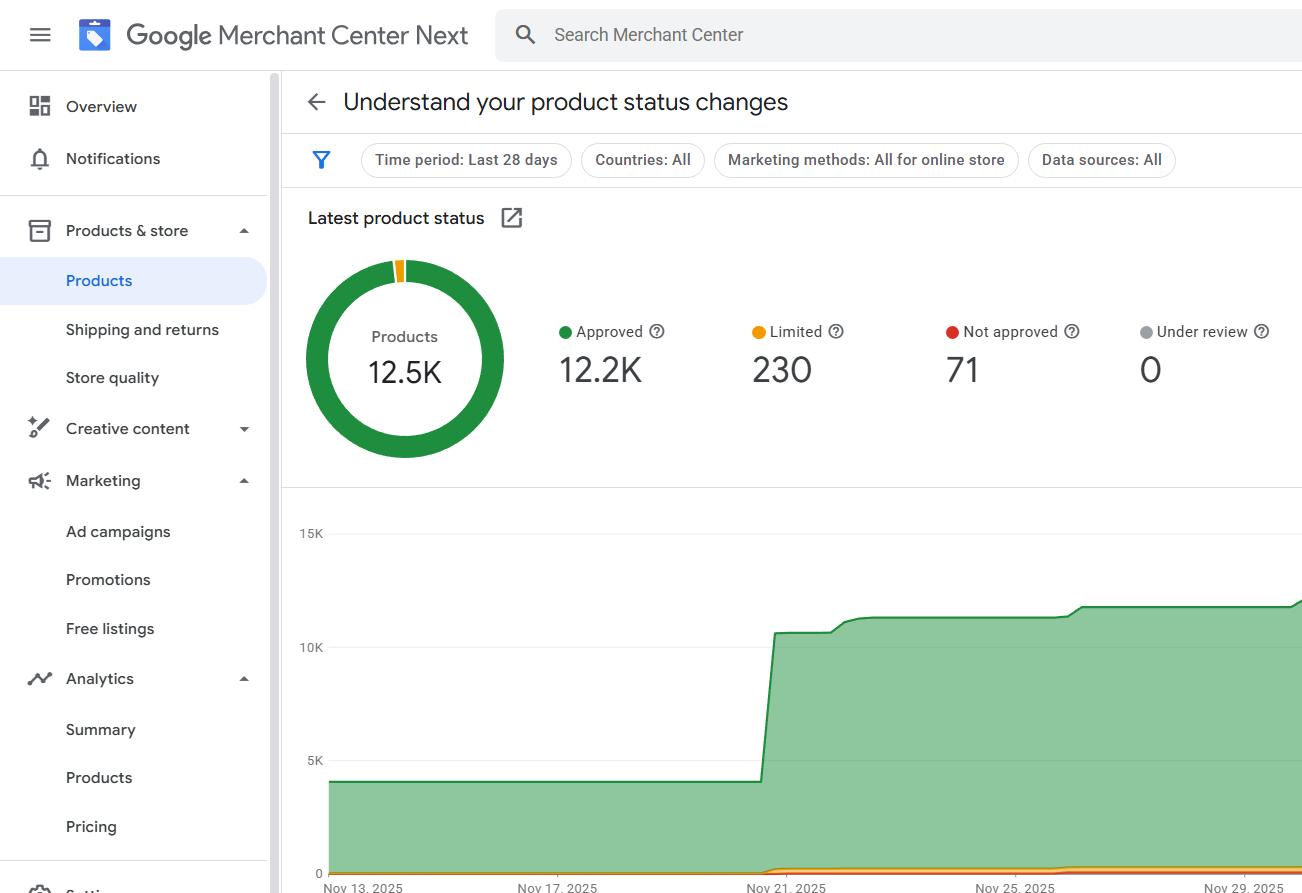
Selling products online in the Netherlands has become easier because of Google Shopping. When people search for a product on Google, they often see product images, prices, and store names directly in the search results. Those listings come from Google Merchant Center and advertising campaigns inside Google Ads.
For many ecommerce stores, Google Shopping becomes one of the fastest ways to generate sales because it connects buyers with products at the exact moment they are searching.
Understanding how the system works, how to set it up properly, and how services around it operate in the Netherlands can help a store compete in a crowded market.
This guide explains the full process in simple language.
Even someone new to ecommerce can follow the steps.
How Google Shopping Works in the Netherlands
When someone in the Netherlands searches for a product such as “wireless headphones” or “ergonomic office chair,” Google shows product listings with images and prices.
These listings come from stores that have uploaded their product data to Google Merchant Center.
Google uses that product information to display results across:
• Google Search product listings
• Shopping tab results
• Paid Shopping ads
• Performance Max campaigns
• Free product listings
For store owners, this means their products can appear in front of buyers without waiting months for SEO rankings.
Is Google Shopping Available in the Netherlands?
Yes. Google Shopping is fully supported in the Netherlands.
Merchants can target customers across major cities like:
• Amsterdam
• Rotterdam
• Utrecht
• The Hague
Businesses located anywhere in the world can also sell to Dutch customers as long as they meet Google’s commerce policies and shipping requirements.
Many international ecommerce stores advertise directly to customers in the Netherlands using Shopping campaigns.
What You Need Before Setting Up Google Shopping
A few things must be prepared before launching Google Shopping.
These requirements help Google verify that your store is trustworthy.
Your store should have:
• A working ecommerce website
• Secure checkout (HTTPS)
• Clear contact information
• Shipping and return policies
• Visible product pricing
• A verified business identity
Without these elements, product listings may be rejected.
Google checks these signals automatically when your site is connected to Merchant Center.
Step-by-Step Google Shopping Setup
The setup process is simple when done correctly.
Each step connects your store with Google’s product system.
Create a Merchant Center Account
Start by creating an account in Google Merchant Center.
This is where product information is stored.
During setup you will enter:
• Business name
• Website URL
• Business location
• Customer support details
Google will also ask you to verify ownership of your website domain.
Upload Your Product Data
Google needs structured product data to show listings.
Stores usually send this information through a product feed.
A product feed includes:
• Product title
• Description
• Price
• Availability
• Brand
• Product images
• Unique identifiers like GTIN
The clearer the product information, the easier it becomes for Google to match your product with search queries.
Configure Shipping for the Netherlands
Shipping settings must match your website.
If your store ships to customers in the Netherlands, you must define:
• Delivery regions
• Shipping costs
• Delivery time
For example, if your website promises delivery within three days but Merchant Center shows seven days, Google may flag the listing.
Consistency is very important.
Connect Merchant Center to Google Ads
Once products are approved, Merchant Center connects with Google Ads.
This connection allows you to run paid campaigns.
Shopping ads display product images, titles, and prices directly in Google results.
Unlike text ads, the buyer sees the product before clicking.
This usually brings higher quality traffic.
Types of Google Shopping Campaigns
Different campaign types exist for different goals.
Understanding them helps merchants choose the right strategy.
Standard Shopping Campaigns
Standard campaigns give full control over product groups and bidding.
Store owners can adjust bids based on product categories, price ranges, or brands.
Many advertisers prefer this option for testing and optimization.
Performance Max Shopping Campaigns
Performance Max campaigns use Google’s automation and machine learning.
Products are promoted across multiple Google platforms.
These include:
• Search
• Display
• YouTube
• Gmail
• Discover
This approach simplifies campaign management, especially for stores with large product catalogs.
Optimizing Product Listings for Dutch Buyers
Success in Google Shopping depends heavily on product data quality.
Small improvements can significantly increase visibility.
Product titles should include important details like:
Brand
Product type
Model
Key features
Example:
Wireless Bluetooth Headphones Noise Cancelling Over-Ear
Descriptions should explain the product clearly without repeating keywords unnecessarily.
Google’s system understands natural language and semantic context.
Images also play a large role.
Products with clear, high-resolution images usually receive more clicks.
Payment Preferences in the Netherlands
Customers in the Netherlands often prefer specific payment methods.
The most popular option is iDEAL.
Many ecommerce stores targeting Dutch buyers include iDEAL alongside credit cards or PayPal.
Providing familiar payment methods can improve conversion rates.
Common Problems Merchants Face
Many stores experience issues during the early stages.
Typical problems include:
Product disapprovals
Shipping mismatches
Incorrect prices
Policy violations
Low quality product images
Merchant Center has a Diagnostics section that shows these problems.
Fixing them quickly helps restore product visibility.
Google Shopping Services in the Netherlands
Many ecommerce businesses choose to work with specialists who manage Google Shopping campaigns.
Professional services often include:
Product feed optimization
Merchant Center account setup
Shopping campaign management
Conversion tracking setup
Bid optimization
These services help stores scale faster while avoiding common setup mistakes.
Agencies usually monitor product approvals, campaign performance, and budget efficiency.
Why Google Shopping Works Well for Ecommerce
Traditional search ads rely on text.
Google Shopping shows the actual product.
Buyers immediately see:
Product image
Price
Store name
This visual format makes it easier for customers to compare products.
It also attracts buyers who already know what they want to purchase.
Because of this, Shopping campaigns often deliver higher conversion rates than standard search ads.
Final Thoughts
Google Shopping has become one of the most powerful ecommerce traffic channels for stores targeting customers in the Netherlands.
With the right setup in Google Merchant Center and properly structured campaigns in Google Ads, products can appear directly in front of people searching for them.
Success usually depends on a few key elements:
Accurate product data
Clear store policies
Correct shipping configuration
Well-structured campaigns
When these pieces are aligned, Google Shopping becomes more than an advertising platform. It becomes a consistent source of targeted buyers searching for products every day.