If your Google Merchant Center account is suspended for price mismatch, incorrect information, or inconsistent data, this article will save you weeks of guesswork.
This is one of those silent suspensions where Google doesn’t scream the exact problem — it just shows a red banner, disables Shopping ads, and leaves you stuck.
I’ve fixed this issue for many stores where everything looked fine on the surface, but Google was still rejecting or suspending the account.
This guide explains exactly what triggers it, how Google detects it, and how I fix it properly.
What Is the “Price Mismatch / Incorrect Information” Suspension?
This suspension happens when Google detects any inconsistency between:
- Your product feed
- Your website landing pages
- Your checkout
- Your Merchant Center settings
Even small differences are enough.
Google Shopping runs on automation. If systems don’t match perfectly, trust is lost.
Why This Suspension Is So Common (And So Annoying)
Store owners usually say:
“My prices are correct. I checked everything.”
And they’re often right — visually.
But Google checks deeper than humans.
Real Reasons Google Flags Price & Data Issues
Based on real audits, here’s what actually causes it.
1. Price Changes via Plugins or Currency Conversion
Very common in WordPress.
Examples:
- Currency switcher changes price
- VAT added dynamically
- Geo-based pricing
- Discount plugin affecting final price
Google crawls one price. Users see another.
Result: suspension.
2. Shipping Cost Appears Late in Checkout
Google checks final payable amount.
If:
- Shipping cost is hidden until last step
- Delivery fee appears after address entry
Google flags this as misleading pricing.
3. Sale Prices Not Synced Properly
Common mistake:
- Sale price on website
- Feed still shows regular price
- Sale expired but feed didn’t update
Timing mismatches trigger incorrect info errors.
4. Availability Mismatch (In Stock / Out of Stock)
Google hates this.
Examples:
- Feed says “in stock”
- Product page says “out of stock”
- Backorder enabled silently
Even temporary mismatches matter.
5. Caching & Speed Optimization Conflicts
This one surprises clients.
Cache plugins can:
- Show old prices to Google
- Serve outdated HTML
- Block Googlebot from dynamic updates
Google reads cached data → mismatch detected.
How I Fix Price Mismatch & Incorrect Information Issues
This is my proven recovery process.
Step 1: Feed vs Landing Page Comparison
I manually check:
- Feed price
- Landing page price
- Sale price logic
- Checkout total
On desktop and mobile.
Step 2: Plugin & Pricing Logic Audit (WordPress)
I review:
- Currency switchers
- Discount rules
- Tax plugins
- Shipping calculators
Anything dynamic is tested.
Step 3: Shipping Transparency Fix
I make sure:
- Shipping cost is visible early
- Delivery info is clear
- No surprise fees
Google wants clarity, not tricks.
Step 4: Feed Cleanup & Forced Sync
I fix:
- Price attributes
- Sale price attributes
- Availability fields
- Update frequency
Then force a clean re-fetch.
Step 5: Cache & Crawl Control
I:
- Exclude product pages from aggressive caching
- Ensure Googlebot sees live prices
- Fix rendering issues
This step is often the missing piece.
Step 6: Appeal with Evidence
Appeals are submitted only after:
- Live checks pass
- Feed & site match
- Final checkout price is stable
My appeals are short, technical, and honest.
How Long Does Approval Take?
Typically:
- 3–5 business days
- Some cases up to 7 days
If rejected, I re-check hidden triggers.
Real Client Outcomes
Clients I helped:
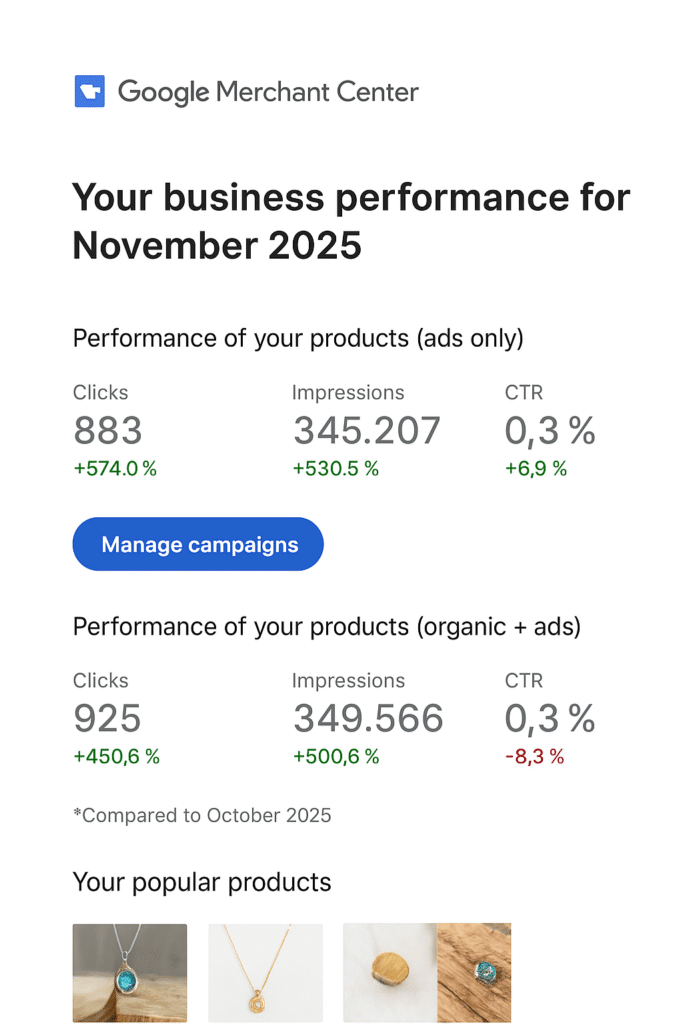
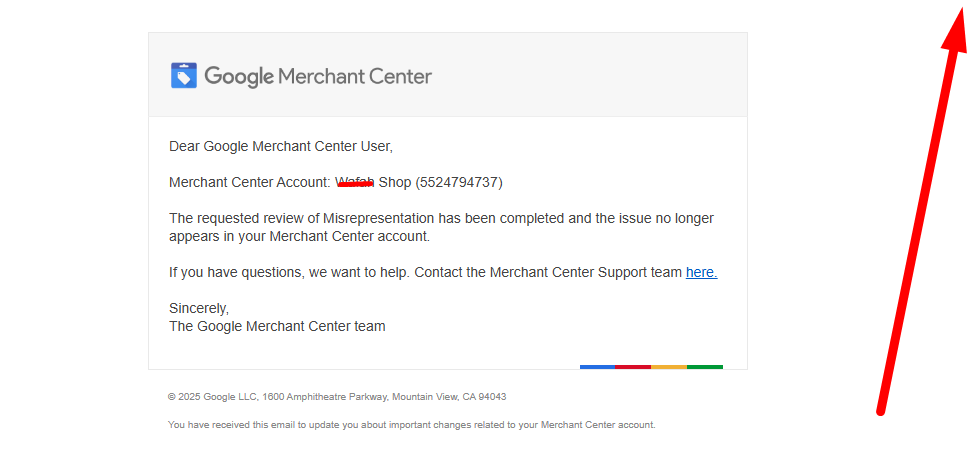
- Recovered Shopping ads
- Eliminated surprise suspensions
- Improved conversion rate
- Scaled Google Shopping safely
Many didn’t even realize pricing logic was the issue.
About Me & My Services
I’m Syed Saadullah.
I help businesses fix and scale through:
- Merchant Center suspension recovery
- Price mismatch & incorrect info fixes
- Misrepresentation issues
- Website needs improvement issues
- Google Shopping Ads
- Google Search Ads
- Product feed optimization
- WordPress technical fixes
Available at:
👉 syedsaadullah.com
I focus on clean systems, not temporary patches.
Who Should Contact Me?
Reach out if:
- Your GMC shows price or availability errors
- Shopping ads stopped suddenly
- Appeals keep failing
- You want stable, compliant scaling
I fix the root technical cause.
Final Words
Price mismatch suspensions are 100% fixable.
They just require:
- Deep technical checks
- Feed discipline
- Website consistency
Once fixed, Google trust returns — and ads run smoothly.
— Syed Saadullah