If your Google Merchant Center account is suspended for “Misleading product information”, this guide is exactly what you need.
This suspension hits even honest stores. Many sellers are shocked because they never intended to mislead anyone. But Google doesn’t judge intent — it judges data accuracy and user experience.
I’ve fixed this suspension for multiple clients, restored their Shopping ads, and helped them scale again — without risky tricks or guesswork.
This article explains what Google really means, what actually triggers it, and how I fix it step by step.
What Does “Misleading Product Information” Mean?
Google flags this when any part of your product data creates confusion for users.
This includes:
- Product titles
- Descriptions
- Images
- Claims and attributes
- Landing page content
If what Google shows in ads doesn’t perfectly match what users see on your site, trust breaks.
Why This Suspension Happens So Often
Most store owners focus only on:
“Is my product real?”
But Google asks:
“Is the product represented clearly, accurately, and consistently?”
Even small exaggerations or formatting tricks can trigger suspension.
Real Triggers I See During Client Audits
These are actual causes, not theory.
1. Keyword-Stuffed or Over-Optimized Titles
Very common mistake.
Examples:
- Adding unnecessary keywords
- Repeating brand names
- Using marketing phrases like “Best”, “Cheap”, “Top Quality”
Google wants descriptive titles, not sales copy.
2. Product Images That Don’t Match the Product
Google checks images carefully.
Red flags:
- Lifestyle images instead of product-only images
- Extra accessories shown but not included
- Watermarks or promotional text
- Different variant shown than selected
Images must show exactly what’s being sold.
3. Claims That Cannot Be Verified
This causes instant trouble.
Examples:
- “100% original”
- “Official brand”
- “Certified” or “Guaranteed”
- Medical or performance claims
If claims aren’t proven on the page, Google flags them.
4. Variant Confusion (Size, Color, Pack)
Very common in feeds.
Examples:
- Image shows multiple items, but listing is for one
- Title says “Pack of 3” but page sells single unit
- Size selected doesn’t match image
Variants must be crystal clear.
5. Inconsistent Descriptions Between Feed & Page
Google compares:
- Feed description
- On-page description
If one says something the other doesn’t — suspension risk.
How I Fix “Misleading Product Information” Properly
This is my proven cleanup system.
Step 1: Feed-to-Page Accuracy Audit
I manually check:
- Title vs page headline
- Description vs page content
- Image vs actual product
- Variant logic
No automation. Human review.
Step 2: Product Title & Description Cleanup
I rewrite titles to be:
- Clear
- Descriptive
- Non-promotional
- Variant-specific
Same for descriptions — facts only.
Step 3: Image Compliance Fix
I ensure:
- Clean background images
- Correct variant shown
- No misleading visuals
- No text overlays
Images are one of Google’s top signals.
Step 4: Claims & Language Neutralization
I remove or reword:
- Marketing hype
- Unverifiable claims
- Risky wording
Google prefers boring truth over fancy promises.
Step 5: Feed Attribute Optimization
I fix:
- Brand
- GTIN / identifiers
- Condition
- Multipack attributes
- Variant mapping
Clean data builds trust.
Step 6: Appeal With Clear Explanation
I submit the appeal only after:
- Feed and pages are aligned
- Images are compliant
- Language is neutral
Appeals are short, honest, and technical.
How Long Does Approval Take?
In most cases:
- 3–5 business days
- Sometimes up to 7 days
If rejected, I re-check hidden mismatches.
Real Client Results
Clients I helped:
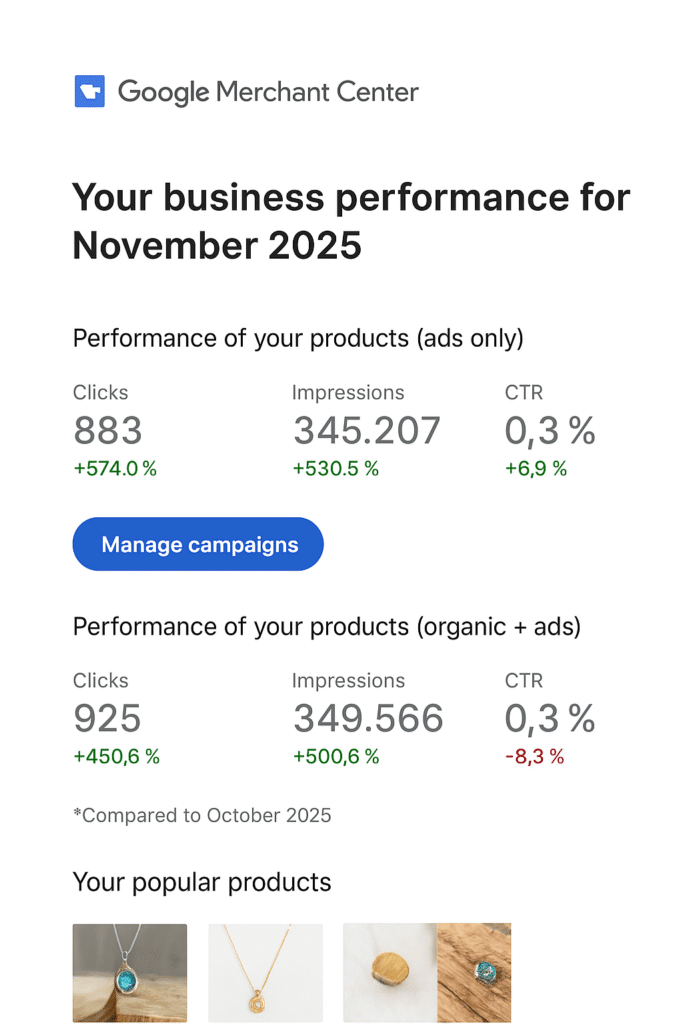
- Got Shopping ads reinstated
- Avoided repeat suspensions
- Improved CTR and conversion rate
- Built long-term account stability
Clean data always performs better.
About Me & My Services
I’m Syed Saadullah.
I help businesses with:
- Merchant Center suspension recovery
- Misleading product information fixes
- Misrepresentation issues
- Website needs improvement
- Price mismatch & incorrect info
- Google Shopping Ads
- Google Search Ads
- Product feed optimization
- WordPress technical & UX fixes
Available at:
👉 syedsaadullah.com
I fix issues properly, so they don’t come back.
Who Should Contact Me?
Reach out if:
- GMC says “Misleading product information”
- Ads stopped suddenly
- Appeals keep failing
- You want stable, compliant scaling
I fix the root cause, not just the warning.
Final Thoughts
This suspension is not about honesty.
It’s about clarity, accuracy, and consistency.
Once product data is clean, Google trust returns — and Shopping ads run smoothly.
— Syed Saadullah