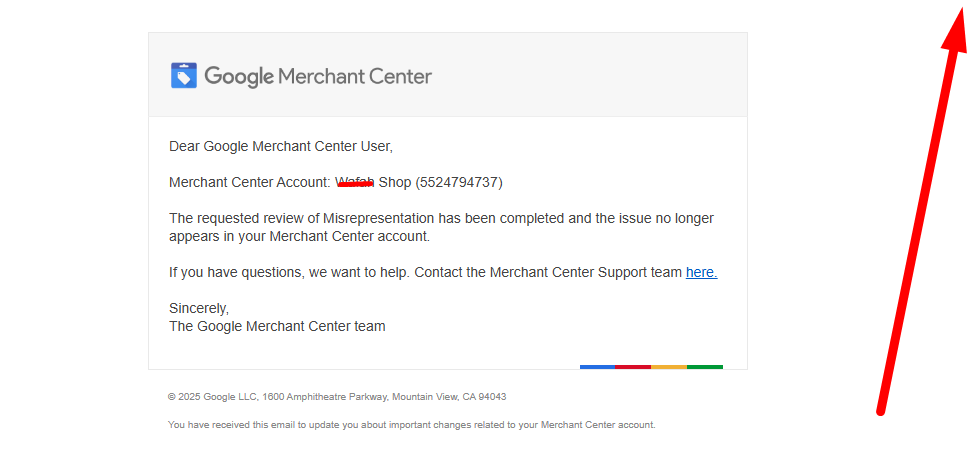
Running product ads on Google Merchant Center and Google Ads looks simple on the surface.
Upload products.
Create a campaign.
Start receiving traffic.
Yet behind the scenes, a detailed verification system checks whether the business, the products, and the website are trustworthy enough to appear in Google Shopping results.
Many merchants discover this system only after facing suspensions or verification requests.
Understanding how verification works helps prevent problems and keeps product listings stable for the long term.
This guide explains the full verification process in clear language so that even a young learner can understand how the system evaluates an online store.
What Google Merchant Verification Actually Means
Verification is simply a process where Google confirms three important things:
The store is real.
The business information is accurate.
Customers can safely buy products.
Whenever a merchant connects a website to Merchant Center and runs shopping ads, Google’s systems start checking different signals from the store.
If those signals look clear and trustworthy, the store continues running normally.
If the system finds confusion, missing information, or suspicious patterns, it may trigger warnings, account reviews, or suspensions.
Why Verification Exists in Google Shopping
Millions of shoppers search for products through Google every day.
Someone might search for:
“gaming keyboard”
“wireless mouse”
“office chair”
Product ads appear directly inside search results.
Google must make sure those ads lead to real stores instead of fake or misleading websites.
Verification protects three groups:
Customers who want safe shopping
Businesses that follow the rules
The trust of the Google Shopping platform itself
Without verification, unreliable stores could easily appear in product ads.
The Three Core Layers of Google Merchant Verification
The system usually evaluates a store across three main layers.
Each layer answers a different question about the business.
Website Identity Verification
Google first tries to understand who owns the website.
This includes checking:
business name
contact details
domain ownership
store branding
The website should clearly show the identity of the business operating the store.
A simple example helps explain this.
Imagine visiting an online store where:
no contact page exists
no company name appears
no email address is visible
That situation makes it hard for customers to know who they are buying from.
Google’s system notices the same problem.
Strong identity signals make verification easier.
Website Transparency Verification
The next step focuses on transparency.
Transparency means the store explains clearly how it works.
Important information includes:
shipping details
returns and refund policies
privacy policy
terms of service
These pages help customers understand what will happen after they place an order.
If a shopper cannot find out how long shipping takes or whether returns are allowed, trust becomes weaker.
Google expects these policies to be easy to find and easy to read.
Product Data Verification
Google also checks whether product information is accurate.
Product listings must match what appears on the website.
Important elements include:
product titles
images
prices
availability
landing page details
For example, a product ad might show a keyboard priced at $49.
If the landing page suddenly shows $79 instead, the system detects inconsistency.
Accurate product data is one of the strongest trust signals in Google Shopping.
How the Verification System Analyzes Online Stores
Verification is not performed in a single step.
Google uses automated systems that continuously scan different parts of the store.
These systems analyze:
website structure
product feed data
checkout flow
business identity signals
policy clarity
Each signal contributes to the overall trust score of the store.
When enough positive signals appear, the system treats the merchant as a reliable seller.
If signals conflict with each other, the system may request further review.
Common Situations That Trigger Verification Checks
Some actions increase the chance of verification reviews.
Launching a new Merchant Center account is one example.
Other triggers include:
adding many products quickly
changing the domain connected to Merchant Center
updating business information
launching large Shopping Ads campaigns
These actions do not automatically mean something is wrong.
They simply encourage the system to take a closer look.
Important Trust Signals Google Looks For
Certain elements strongly influence verification success.
These signals help Google understand that the store is legitimate.
Visible contact information helps customers reach the business.
Secure browsing through HTTPS protects user data.
Clear product pages show real information about the items being sold.
Functional navigation allows visitors to explore the website easily.
A smooth checkout process shows that the store is prepared to process real orders.
All these signals together create a trustworthy online environment.
How Merchant Center Connects With Shopping Ads
Merchant Center stores product information.
Google Ads controls how those products appear in advertising campaigns.
When a merchant runs Shopping campaigns, the two systems work together.
Product data from Merchant Center powers the ads that appear in search results.
Verification checks both the product feed and the website to ensure everything matches.
If something appears inconsistent, the system may pause ads or request review.
Questions Many Merchants Ask About Verification
Merchants often search for answers to important questions before launching campaigns.
Understanding these questions helps clarify how the system works.
How long does verification take?
In many cases, automated verification happens quickly. Some deeper reviews may take several days.
Can a verified store still face account reviews later?
Yes. Verification is not a one-time event. Google continues monitoring stores to maintain trust.
Does verification depend only on the product feed?
No. The website itself plays a major role. Even a perfect product feed cannot compensate for a weak or incomplete website.
Building a Store That Passes Verification Naturally
The safest approach is to build a store that naturally meets trust expectations.
A transparent store normally includes:
a clear homepage explaining the brand
detailed product pages
accessible customer support
realistic shipping timelines
When these elements exist from the beginning, verification becomes much smoother.
The store looks like a real business rather than a temporary storefront.
The Relationship Between Trust and Long-Term Shopping Ads Success
Verification is not just a technical requirement.
It directly influences how stable a merchant account becomes over time.
Stores with strong trust signals usually experience:
fewer account warnings
fewer suspensions
more stable advertising performance
This stability allows merchants to focus on improving campaigns rather than solving account issues.
Final Perspective on Google Merchant Verification
Google Merchant verification is designed to answer one simple question.
Can customers trust the store behind the product ad?
Every signal Google analyzes points back to that idea.
Clear business identity, transparent policies, and accurate product information create a reliable shopping experience.
When those elements work together, the verification system recognizes the store as trustworthy.
For merchants who depend on Shopping Ads for growth, understanding this process is one of the most valuable steps toward building a strong and sustainable ecommerce presence.