A message inside Google Merchant Center sometimes stops merchants cold:
“Identity verification needed before review.”
Products are uploaded. The store looks ready. Yet the account sits in limbo waiting for something that sounds vague and bureaucratic.
That message is not random. It belongs to a specific trust system inside Google’s commerce ecosystem.
To understand why it appears—and how to resolve it quickly—you need to understand the mechanism behind Merchant Center identity verification, how it connects to Google Shopping, and why Google refuses to review your account until identity signals are confirmed.
Once the logic becomes clear, the fix usually takes minutes instead of days.
Understanding What Google Merchant Center Is Actually Verifying
4
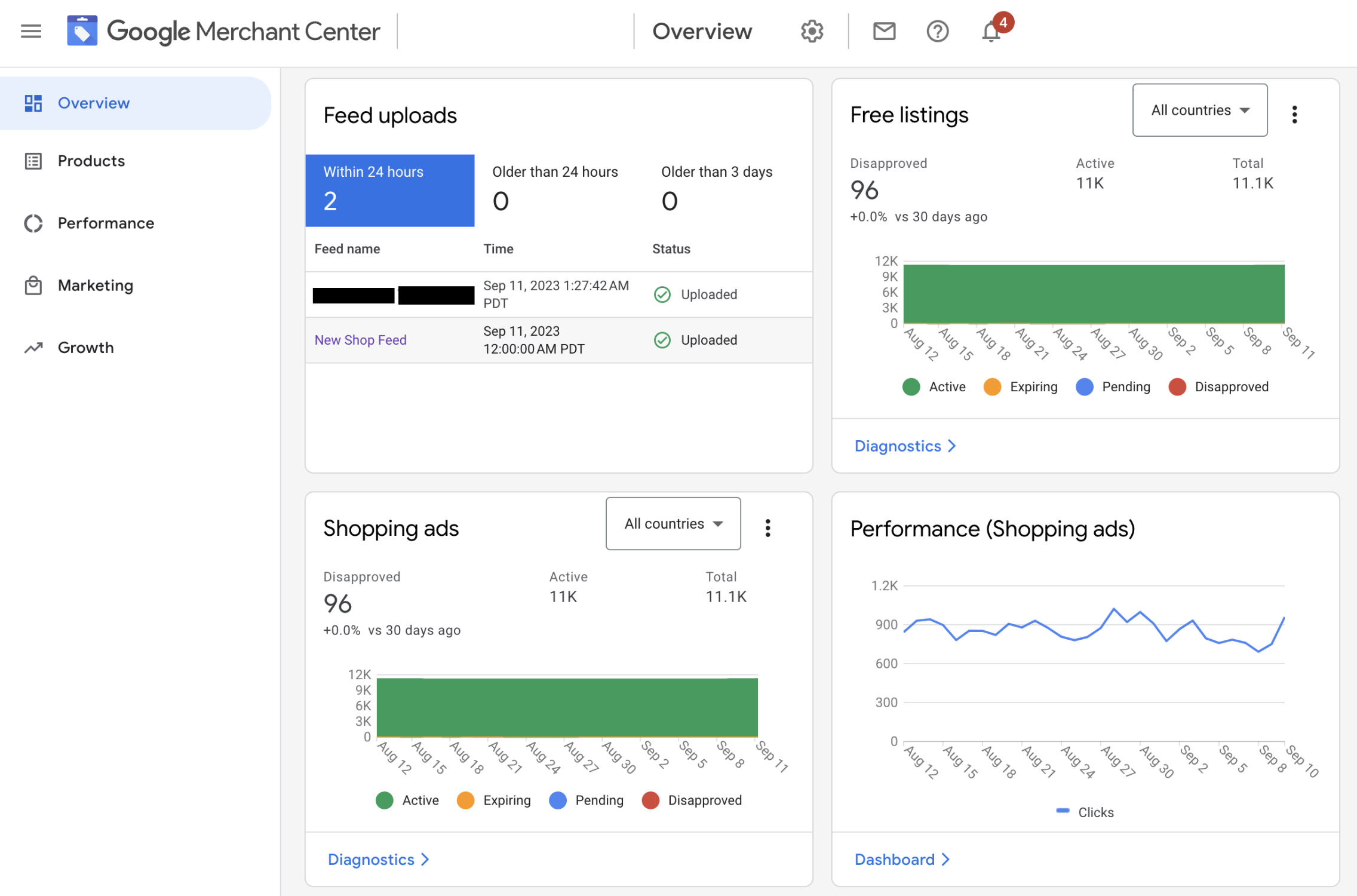
Google Merchant Center is the platform that feeds product data into Google Shopping, Performance Max campaigns, and free product listings in search.
Think of it as a product warehouse for Google’s advertising and commerce system. Your product feed contains items like:
- product titles
- images
- price and availability
- shipping information
- brand and GTIN identifiers
But before Google allows those products to appear in search results or ads, it evaluates the merchant behind the feed.
This is where identity verification enters.
Identity verification is Google’s process for confirming that:
- the business actually exists
- the website belongs to the merchant account
- the merchant can legally sell the products listed
- the account is not impersonating another brand
Without these signals, Google refuses to approve products or review the account.
Why the Message Appears: “Identity Verification Needed Before Review”
The message appears during the account review stage.
Normally the process flows like this:
- Merchant Center account is created
- Website is verified and claimed
- Product feed is uploaded
- Google begins account review
- Products become eligible for Shopping listings
The warning interrupts step 4.
Instead of reviewing your account, Google pauses the process and asks for identity proof first.
That happens for several reasons.
1. Google’s Anti-Fraud System Flagged the Account
Google Shopping is a major marketplace. Fraudulent sellers often attempt to list fake stores or counterfeit products.
Signals that trigger identity verification include:
- new domains with no history
- mismatched business information
- unusual payment setups
- new Merchant Center accounts launching large product feeds immediately
Verification acts like a security checkpoint before the store can enter Google’s marketplace.
2. The Business Information Is Incomplete
Merchant Center accounts require consistent business data:
- business name
- business address
- contact information
- website ownership
When those details are missing or inconsistent with the website footer, Google pauses review.
Imagine registering a bank account without providing identification. The system will stop you halfway through.
3. Google Needs to Confirm Website Ownership
Merchant Center requires site verification and claiming.
Verification proves you control the domain. Claiming links that domain permanently to your Merchant Center account.
Common verification methods include:
- HTML tag placed in the website header
- HTML verification file uploaded to the server
- Google Analytics ownership
- Google Tag Manager container
If Google cannot confirm this connection, identity verification appears.
4. Regional Regulatory Requirements
In many regions—especially EU, UK, and US commerce policies—Google must verify seller identities to comply with consumer protection laws.
These laws require marketplaces to confirm merchant legitimacy before listing products publicly.
That requirement became stricter after regulatory changes affecting online marketplaces and cross-border sellers.
What Google Is Actually Asking You To Verify
The phrase “identity verification” sounds broad, but Google is usually validating three specific things.
Merchant Identity
Google wants proof that the person running the account represents a real business.
Documents often requested include:
- government-issued ID (passport or driver’s license)
- business registration certificate
- tax documentation
Business Address
Your business location must match official records.
Accepted documents may include:
- utility bill
- bank statement
- company registration paperwork
Website Ownership
The Merchant Center account must be tied to the same website selling the products.
If the domain belongs to someone else, Google will not allow product listings.
Where the Verification Request Appears
The request typically appears inside Merchant Center notifications.
Look in:
Merchant Center → Settings → Business information → Identity verification
You may also see alerts in:
Merchant Center → Diagnostics → Account issues
Sometimes Google sends an email notification explaining the next step.
The Exact Process to Complete Identity Verification

4
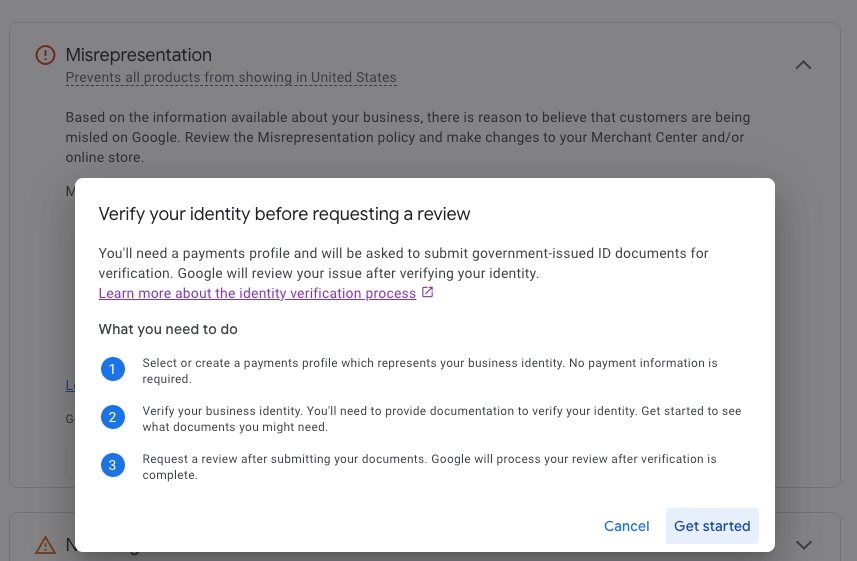
Once the request appears, the process is straightforward.
Most merchants complete it within 10–15 minutes.
Step 1 — Open the Verification Request
Inside Merchant Center:
Settings → Business information → Identity verification
Google will show the documents required for your account.
Step 2 — Upload Identity Documents
The system usually asks for one of the following:
- government ID
- company registration certificate
- tax ID documentation
Images must be clear and unedited.
Blurry documents often trigger rejection.
Step 3 — Confirm Business Information
Google may ask you to verify:
- legal business name
- address
- phone number
- website URL
These details must match what appears on your website.
Step 4 — Submit the Verification Request
After submission, Google reviews the documents.
Review time usually ranges from:
| Verification Type | Typical Review Time |
|---|---|
| Identity verification | 24–48 hours |
| Business verification | 2–5 days |
| Account review after approval | 3–7 days |
The account review only begins after identity verification succeeds.
A Confusing Detail: Verification vs. Account Review
Many merchants mix up these two processes.
They are separate.
| Process | Purpose | Trigger |
|---|---|---|
| Identity verification | Confirm the merchant is legitimate | Triggered before review |
| Account review | Evaluate store compliance with policies | Happens after verification |
During account review, Google checks:
- checkout process
- shipping policies
- return policies
- product data accuracy
- prohibited products
Identity verification simply proves who you are.
Common Mistakes That Cause Verification Failure
Even legitimate stores sometimes fail verification because of small details.
These are the most common problems.
Mismatched Business Name
If the Merchant Center account uses:
“Tech World Online Ltd.”
but the website shows:
“TechWorld Store”
Google may flag the inconsistency.
Consistency across documents, website footer, and Merchant Center settings matters.
Website Missing Business Details
Google expects to see the following on the website:
- contact page
- physical business address
- privacy policy
- refund or return policy
- shipping information
A bare landing page without business details looks suspicious.
Temporary or Disposable Domains
New domains with no brand history often trigger additional verification checks.
This does not mean rejection; it simply means Google wants stronger identity signals.
Blurry or Cropped Documents
Documents must show:
- full name
- full address
- clear edges
Partially cropped documents frequently fail verification.
How Long Merchant Center Identity Verification Takes
In most cases:
- document verification: 1–3 days
- account review after approval: 3–7 days
However, delays occur if:
- documents are unclear
- business information is inconsistent
- Google requests additional proof
Some merchants receive follow-up requests for additional documents.
What Happens After Verification Is Approved
Once Google confirms your identity:
- Merchant Center review starts
- Product feed quality is evaluated
- Policy compliance is checked
- Products become eligible for Shopping listings
At this stage you may see:
- Products approved
- Products pending
- Products disapproved
Those are normal feed diagnostics rather than identity issues.
Situations Where Verification Keeps Reappearing
Occasionally the message returns even after verification.
This usually happens when:
- the website domain changes
- the Merchant Center account owner changes
- business information is edited significantly
- Google performs periodic compliance checks
Think of it like renewing identity documents.
How to Prevent Merchant Center Verification Problems
Stores that pass review quickly usually share a few characteristics.
Their websites include clear trust signals.
Check your store against this quick diagnostic list:
- business name visible in footer
- physical address listed
- working contact email and phone
- detailed return policy
- shipping policy page
- secure checkout (HTTPS)
- consistent business name across all platforms
These elements reduce suspicion signals in Google’s fraud detection systems.
A Small Detail Many Merchants Miss
Sometimes the verification message appears because the website is not properly claimed in Merchant Center.
Verification and claiming are two separate steps.
Verification proves ownership.
Claiming locks the domain to the Merchant Center account.
If another Merchant Center account claimed the domain first—common with agencies—Google blocks review until ownership is resolved.
Why Google Introduced Stronger Identity Checks
Google Shopping used to approve merchants with minimal checks.
That changed after large waves of:
- counterfeit product listings
- fake stores
- drop-shipping scams
Stronger identity verification protects shoppers and improves trust in Google’s product listings.
For legitimate merchants, the process simply acts as a short gateway before the account goes live.
The Practical Way to Think About It
Imagine opening a stall inside a massive digital marketplace.
Before selling anything, the marketplace manager asks for your business license and identification.
That is exactly what Merchant Center identity verification represents.
Once Google knows who is behind the store, the rest of the review process becomes routine—and your products can finally start appearing in Google Shopping results and ads.